
170619 利用python读取wav文件及声音图形的绘制
A very convenient way to get a quick impression of how the songs of
the diverse genres “look” like is to draw a spectrogram for a set of
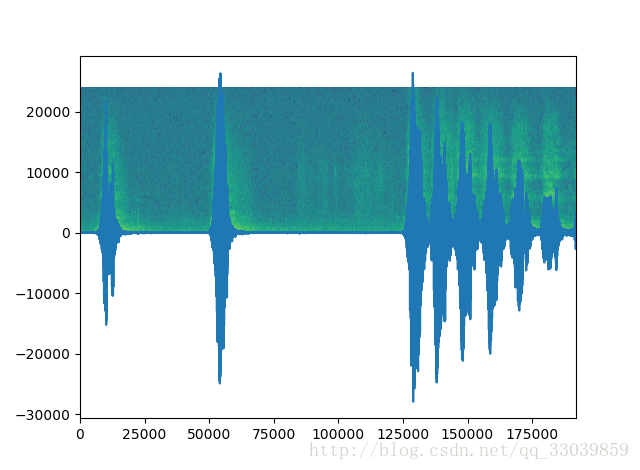
songs of a genre. A spectrogram is a visual representation of the
frequencies that occur in a song. It shows the intensity of the
frequencies on the y axis in the specifed time intervals on the axis;
that is, the darker the color, the stronger the frequency is in the
particular time window of the song. — Building Machine Learning
Systems with Python
代码
# -*- coding: utf-8 -*-
"""
Created on Mon Jun 19 16:59:32 2017

@author: Administrator
"""

#import scipy
from matplotlib.pyplot import specgram
from scipy.io import wavfile
sample_rate, X = wavfile.read("music.wav")
print (sample_rate, X.shape)
specgram(X, Fs=sample_rate, xextent=(0,192000))
注:这样导入wav文件会报错,所以推荐上述方法
import scipy
sample_rate, X = scipy.io.wavfile.read(wave_filename)结果(将X单独绘制后,再运行上面图形,可以看出草绿色的就是背景)
附:梅尔频率倒谱系数(MFCC)
http://blog.csdn.net/zouxy09/article/details/9156785/
声明:该文观点仅代表作者本人,入门客AI创业平台信息发布平台仅提供信息存储空间服务,如有疑问请联系rumenke@qq.com。
- 上一篇:没有了
- 下一篇:没有了
