
PDO的三种数据库连接方式
在使用PDO连接数据库之前,先要对PDO安装和配置
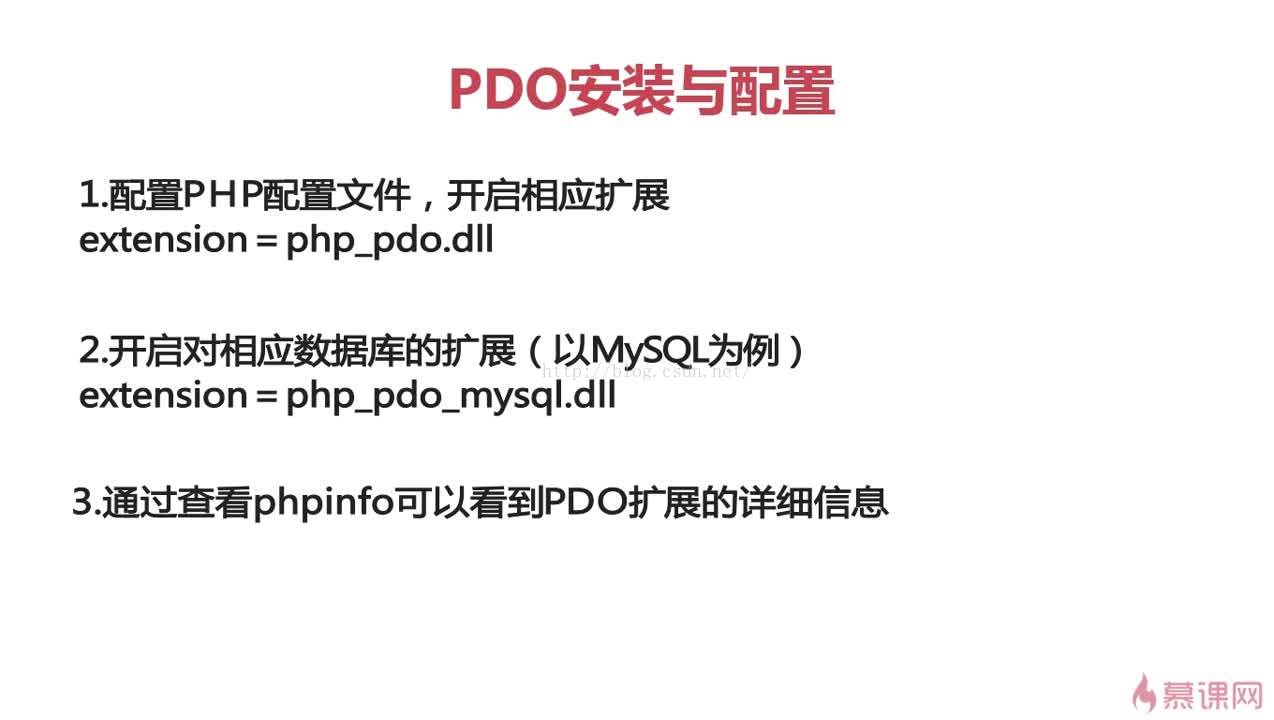
base.php如下:
<strong><span style="font-size:18px;"><?php
header("Content-Type:text/html;charset=utf-8");
//数组调试函数
function show_bug($msg){
	echo "<pre>";
	print_r($msg);
	echo "</pre>";
}
?></span></strong>
1.pdo通过参数形式链接数据库
<strong><span style="font-size:18px;">include_once "base.php";
try{
    //$dsn是数据源
    $dsn="mysql:host=localhost;dbname=imooc";
    $username="root";
    $passwd="";
    $pdo=new PDO($dsn,$username,$passwd);
    //如果连接成功的话,得到的是pdo的对象
    show_bug($pdo);
}catch(PDOException $e){
    echo $e->getMessage();
}</span></strong>2.pdo通过uri形式连接数据库新建一个dsn.txt文件,里面内容是:
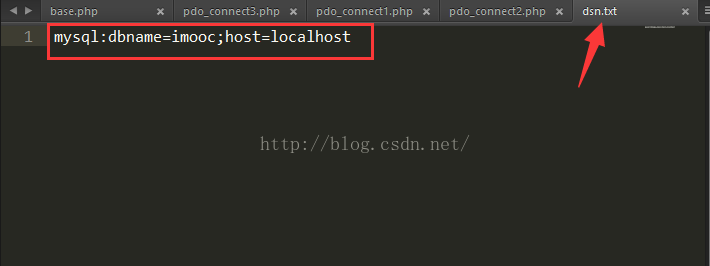
<strong><span style="font-size:18px;"><?php
include_once "base.php";
//pdo通过uri形式连接数据库
try{
	$dsn="uri:file://D:wampwwwmukepdodsn.txt";
	$username="root";
	$passwd="";
	$pdo=new PDO($dsn,$username,$passwd);
	show_bug($pdo);
}catch(PDOException $e){
	echo $e->getMessage();
}
?></span></strong>
3.pdo通过配置文件形式连接数据库
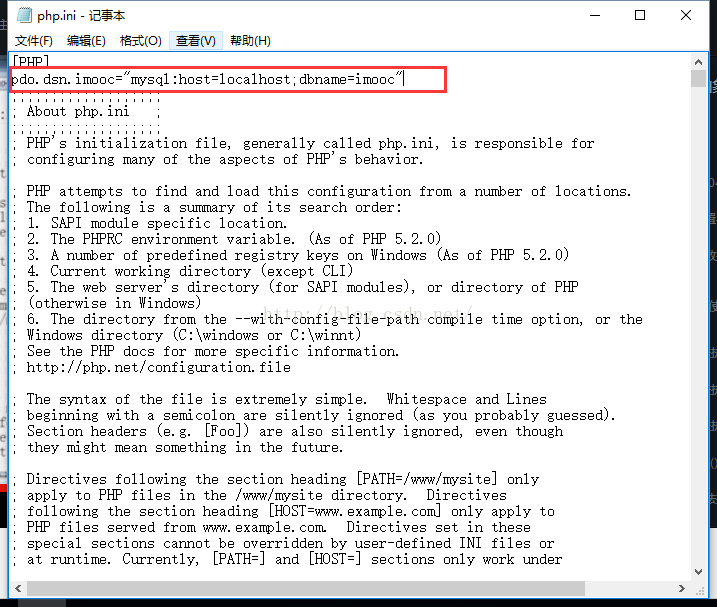
<strong><span style="font-size:18px;"><?php
include_once "base.php";
//pdo通过配置文件形式连接数据库
//在php.ini中配置
try{
	$dsn="imooc";
	$username="root";
	$passwd="";
	$pdo=new PDO($dsn,$username,$passwd);
	show_bug($pdo);
}catch(PDOException $e){
	echo $e->getMessage();
}
?></span></strong>
以上三种,建议使用第一种,通过参数形式链接数据库的
声明:该文观点仅代表作者本人,入门客AI创业平台信息发布平台仅提供信息存储空间服务,如有疑问请联系rumenke@qq.com。
