一、关于抓包分析和debug Log信息
模拟登录访问需要设置request header信息,对于这个没有概念的朋友可以参见本系列前面的java版爬虫中提到的模拟登录过程,主要就是添加请求头request header。
而python抓包可以直接使用urllib2把debug Log打开,数据包的内容可以打印出来,这样都可以不用抓包了,直接可以看到request header里的内容。
import urllib2
httpHandler = urllib2.HTTPHandler(debuglevel = 1)
httpsHandler = urllib2.HTTPSHandler(debuglevel = 1)
opener = urllib2.build_opener(httpHandler, httpsHandler)
urllib2.install_opener(opener)
response = urllib2.urlopen(‘http://www.baidu.com’)
html = response.read()
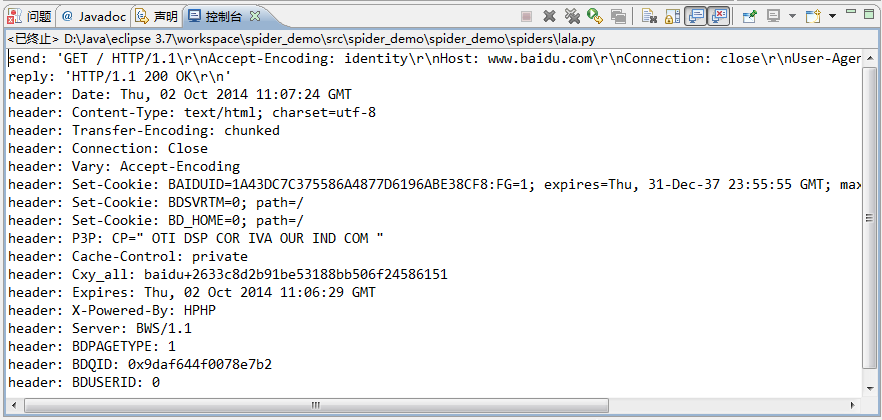
另外对于抓包,对比里各款浏览器自带的开发者工具,觉得firefox的比Chrome的要好用,不仅数据包显示清晰,而且各种操作也比Chrome的方便得多,还有一些Chrome没有的功能。
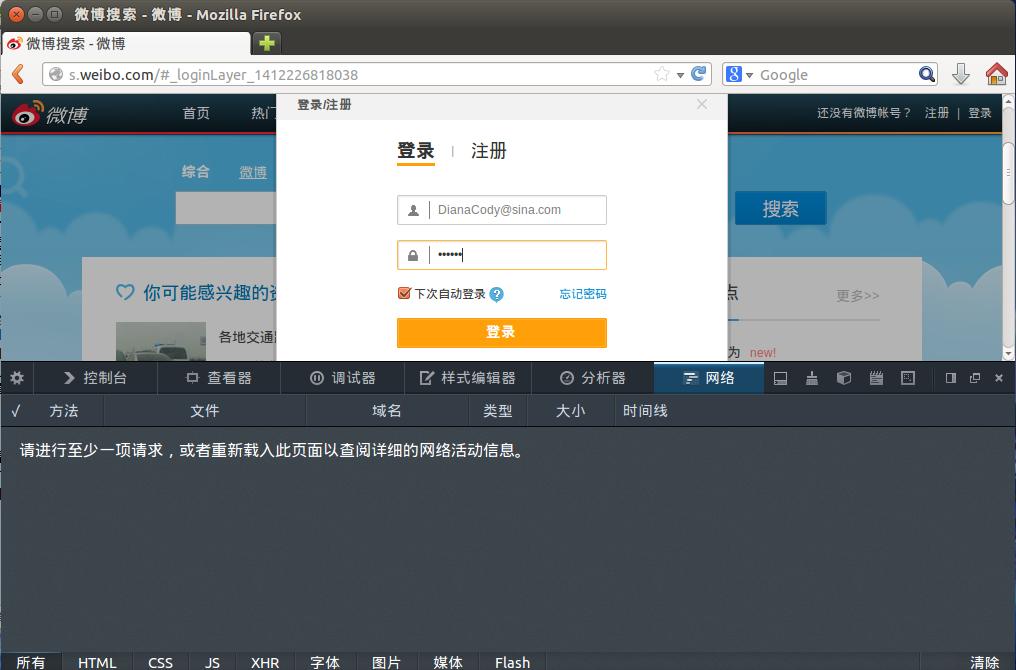
分析下登录新浪微博过程的数据包。
登录前页面:
点击登录,看下这个过程:
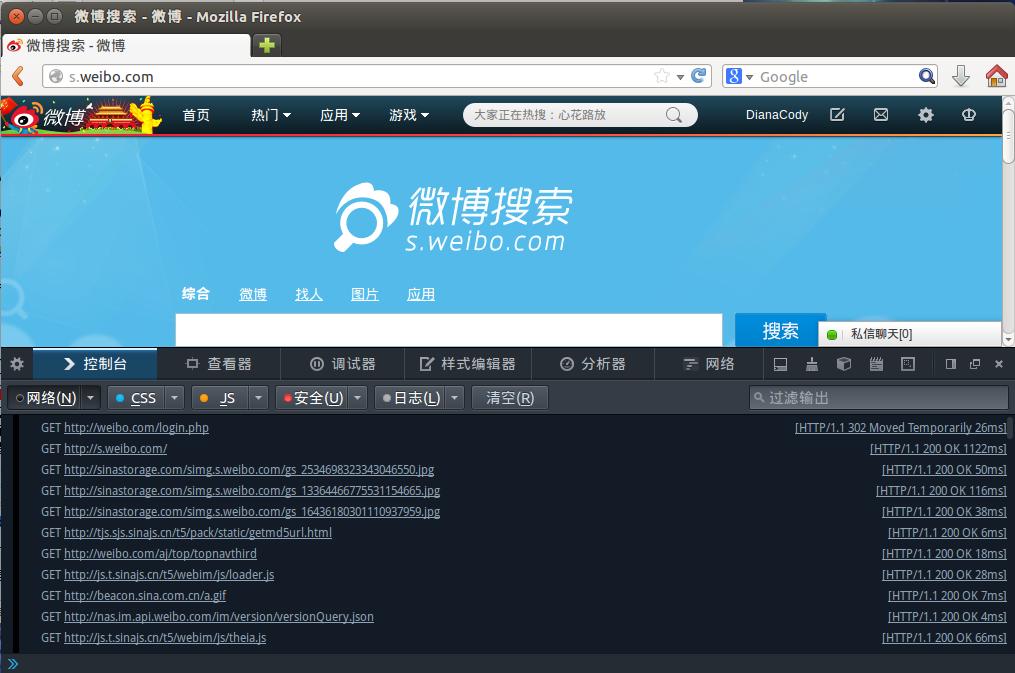
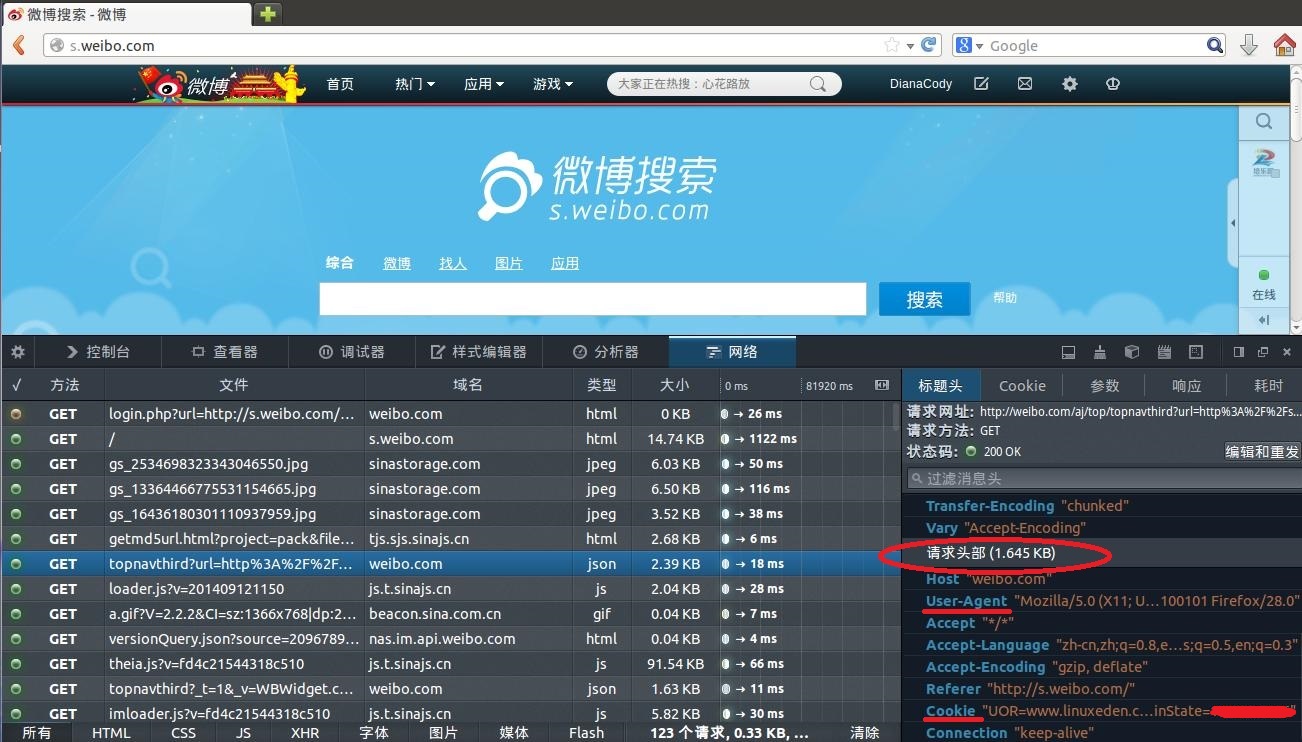
打开看数据包可以看到详细的请求头、发送Cookie、响应头、传回的文件/数据等信息。
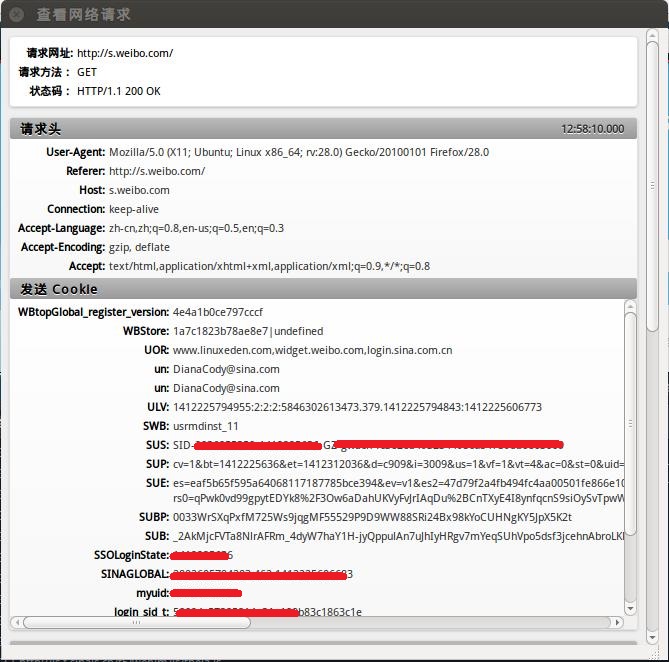
在Network选项卡里看看详细的情况,这里是请求头:
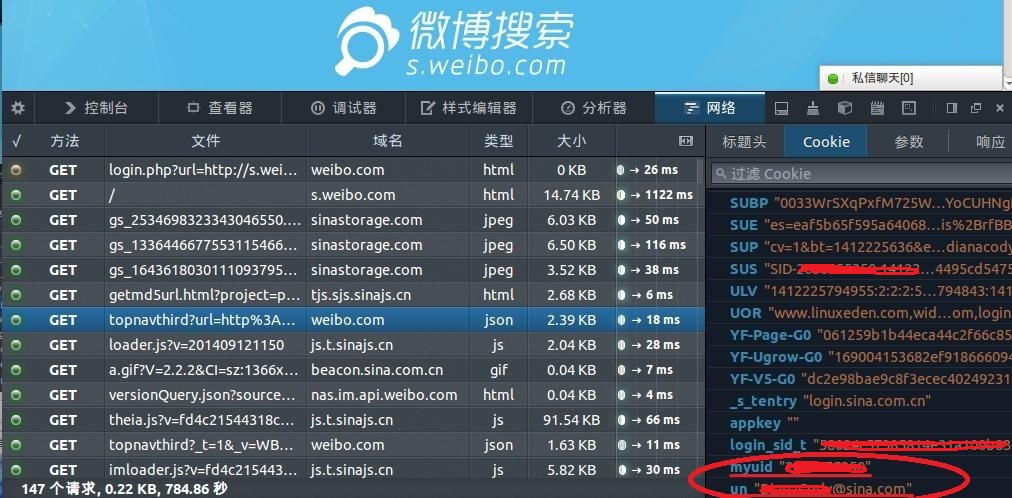
cookie存放的就是myuid和un账号,之后模拟登录要用到的cookie信息:
二、设置Headers到http请求
先看一个官方教程上的例子:
import urllib
import urllib2

url = "http://s.weibo.com"
user_agent = "Mozilla/5.0 (X11; Linux x86_64) AppleWebKit/537.11 (KHTML, like Gecko) Chrome/23.0.1271.64 Safari/537.11"
values = {"name":"denny",
          "location":"BUPT",
          "language":"Python"
          }
headers = {"User-Agent":user_agent}
data = urllib.urlencode(values, 1)
request = urllib2.Request(url, data,headers)
response = urllib2.urlopen(request)
the_page = response.read()
print the_page
一个完整例子:
# -*- coding:utf8 -*-
import urllib2
import re
import StringIO
import gzip

ua = {#"User-Agent":"Mozilla/5.0 (compatible; Googlebot/2.1; +Googlebot - Webmaster Tools Help)",
      "User-Agent":"Mozilla/5.0 (Windows NT 6.1) AppleWebKit/537.36 (KHTML, like Gecko) Chrome/37.0.2062.124 Safari/537.36",
      "Connection":"Keep-Alive",
      "Accept-Language":"zh-CN,zh;q=0.8",
      "Accept-Encoding":"gzip,deflate,sdch",
      "Accept":"*/*",
      "Accept-Charset":"GBK,utf-8;q=0.7,*;q=0.3",
      "Cache-Control":"max-age=0"
      }

def get_html(url_address):
    """open url and read it"""
    req_http = urllib2.Request(url_address, headers = ua)
    html = urllib2.urlopen(req_http).read()
    return html

def controller():
    """make url list and download page"""
    url = "http://s.weibo.com/wb/iPhone&nodup=1&page=10"
    reget = re.compile("(<div class="post-wrapper.*?)<p class="pagination">", re.DOTALL)
    fp = open("e:/weibo/head.txt", "w+")
    for i in range(1, 131):
        html_c = get_html(url % (i))
        print url % (i)
        html_c = gzip.GzipFile(fileobj = StringIO.StringIO(html_c)).read()
        res = reget.findall(html_c)
        for x in res:
            fp.write(x)
            fp.write("


")
    fp.close()
    return

if __name__ == "__main__":
controller()原创文章,转载请注明出处:http://blog.csdn.net/dianacody/article/details/39742711
- 文章导航