
js实现对上传图片进行压缩并且预览
js实现对上传图片的路径转成base64编码,并且对图片进行压缩,实现预览功能
需要先引入jquery: <script src="http://i.gtimg.cn/qzone/biz/gdt/lib/jquery/jquery-2.1.4.js?max_age=31536000"></script>
1、html如下
<body>
    <input type="file" id="upLoad" name="image" >
    <!-- 显示上传之后的图片 -->
    <div id="previewImg">
        <img src="" id="viewImg"/>
    </div>
</body>
2、css如下
        #previewImg{
           background-color: black;
           width: 400px;
           height:400px;
           display: table-cell;
           vertical-align: middle;
           text-align: center;
       }

        #previewImg img{
            max-height: 100%;
            max-width: 100%;
        }

        #upLoad{
            margin-bottom: 20px;
        }
3、js如下
$(function(){
    $("#upLoad").on("change",function(){
        var filePath = $(this).val(),         //获取到input的value,里面是文件的路径
            fileFormat = filePath.substring(filePath.lastIndexOf(".")).toLowerCase(),
            imgBase64 = "",      //存储图片的imgBase64
            fileObj = document.getElementById("upLoad").files[0]; //上传文件的对象,要这样写才行,用jquery写法获取不到对象

        // 检查是否是图片
        if( !fileFormat.match(/.png|.jpg|.jpeg/) ) {
            alert("上传错误,文件格式必须为:png/jpg/jpeg");
            return;
        }

        // 调用函数,对图片进行压缩
        compress(fileObj,function(imgBase64){
            imgBase64 = imgBase64;    //存储转换的base64编码
            $("#viewImg").attr("src",imgBase64); //显示预览图片
        });
    });

     // 不对图片进行压缩,直接转成base64
    function directTurnIntoBase64(fileObj,callback){
        var r = new FileReader();
        // 转成base64
        r.onload = function(){
           //变成字符串
            imgBase64 = r.result;
            console.log(imgBase64);
            callback(imgBase64);
        }
        r.readAsDataURL(fileObj);    //转成Base64格式
    }

       // 对图片进行压缩
    function compress(fileObj, callback) {
        if ( typeof (FileReader) === "undefined") {
            console.log("当前浏览器内核不支持base64图标压缩");
            //调用上传方式不压缩
            directTurnIntoBase64(fileObj,callback);
        } else {
            try {
                var reader = new FileReader();
                reader.onload = function (e) {
                    var image = $("<img/>");
                    image.load(function(){
                        square = 700,   //定义画布的大小,也就是图片压缩之后的像素
                        canvas = document.createElement("canvas"),
                        context = canvas.getContext("2d"),
                        imageWidth = 0,    //压缩图片的大小
                        imageHeight = 0,
                        offsetX = 0,
                        offsetY = 0,
                        data = "";

                        canvas.width = square;
                        canvas.height = square;
                        context.clearRect(0, 0, square, square);

                        if (this.width > this.height) {
                            imageWidth = Math.round(square * this.width / this.height);
                            imageHeight = square;
                            offsetX = - Math.round((imageWidth - square) / 2);
                        } else {
                            imageHeight = Math.round(square * this.height / this.width);
                            imageWidth = square;
                            offsetY = - Math.round((imageHeight - square) / 2);
                        }
                        context.drawImage(this, offsetX, offsetY, imageWidth, imageHeight);
                        var data = canvas.toDataURL("image/jpeg");
                        //压缩完成执行回调
                         callback(data);
                    });
                    image.attr("src", e.target.result);
                };
                reader.readAsDataURL(fileObj);
            }catch(e){
                console.log("压缩失败!");
                //调用直接上传方式  不压缩
                directTurnIntoBase64(fileObj,callback);
            }
        }
    }
});
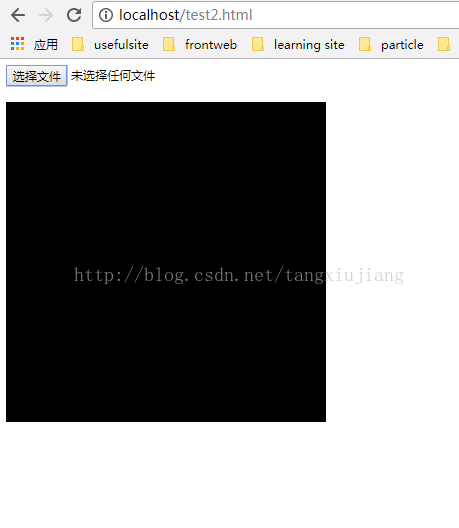
4、显示效果如下:
未上传前的效果图
上传之后的效果图
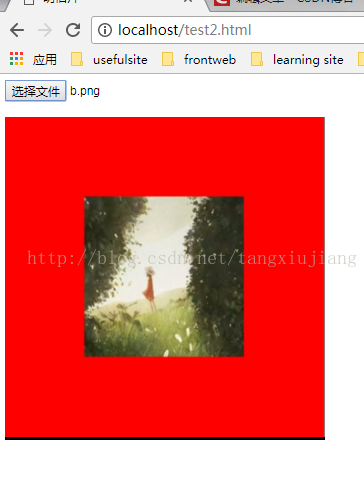
5、通过上面的设置,可以通过js对本地上传的图片的地址进行base64编码,并在本地预览
6、问题:可以发现上传图片之后,父级的高度比原来多了3px,如上图所示,多出来的黑色部分,就是在加上图片的src之后被挤出来多的高 度
7、原因:img是类似text的元素,在结束的时候会在末尾加上一个空白符,所以多出3pxde 黑色部分
8、解决方法:给img元素加上样式:display:block就可以了
9、修改后的img的css:
        #previewImg img{
            max-height: 100%;
            max-width: 100%;
            display:block;
        }
10、显示效果:多余的黑色部分被去掉了
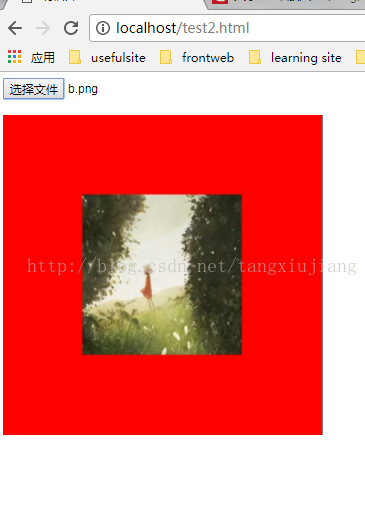
声明:该文观点仅代表作者本人,入门客AI创业平台信息发布平台仅提供信息存储空间服务,如有疑问请联系rumenke@qq.com。
- 上一篇: js获取url中的解析字符串
- 下一篇:没有了
