
PHP 按一定比例压缩图片,保持清晰度
图片压缩是我们日常开发中经常使用的操作,在如今需求很多的情况往往,上传的一张图片会被压缩成不同比例的图片,每次去操作也是一件非常繁琐的事情,于是进行了封装了一个压缩图片的操作类,希望大家遇到后,不用再为写很多压缩图片代码烦恼了。
压缩图片的工具类:
<?php
/**
 图片压缩操作类
 v1.0
*/
   class Image{

	   private $src;
	   private $imageinfo;
	   private $image;
	   public  $percent = 0.1;
	   public function __construct($src){

		   $this->src = $src;

	   }
	   /**
	   打开图片
	   */
	   public function openImage(){

		   list($width, $height, $type, $attr) = getimagesize($this->src);
		   $this->imageinfo = array(

				"width"=>$width,
				"height"=>$height,
				"type"=>image_type_to_extension($type,false),
				"attr"=>$attr
		   );
		   $fun = "imagecreatefrom".$this->imageinfo["type"];
		   $this->image = $fun($this->src);
	   }
	   /**
	   操作图片
	   */
	   public function thumpImage(){

		    $new_width = $this->imageinfo["width"] * $this->percent;
			$new_height = $this->imageinfo["height"] * $this->percent;
			$image_thump = imagecreatetruecolor($new_width,$new_height);
			//将原图复制带图片载体上面,并且按照一定比例压缩,极大的保持了清晰度
			imagecopyresampled($image_thump,$this->image,0,0,0,0,$new_width,$new_height,$this->imageinfo["width"],$this->imageinfo["height"]);
			imagedestroy($this->image);
			$this->image = 	$image_thump;
	   }
	   /**
	   输出图片
	   */
	   public function showImage(){

		    header("Content-Type: image/".$this->imageinfo["type"]);
			$funcs = "image".$this->imageinfo["type"];
			$funcs($this->image);

	   }
	   /**
	   保存图片到硬盘
	   */
	   public function saveImage($name){

		    $funcs = "image".$this->imageinfo["type"];
			$funcs($this->image,$name.".".$this->imageinfo["type"]);

	   }
	   /**
	   销毁图片
	   */
	   public function __destruct(){

		   imagedestroy($this->image);
	   }

   }


?>
测试:
<?php

		require "image.class.php";
		$src = "001.jpg";
		$image = new Image($src);
		$image->percent = 0.2;
		$image->openImage();
		$image->thumpImage();
		$image->showImage();
		$image->saveImage(md5("aa123"));


?>
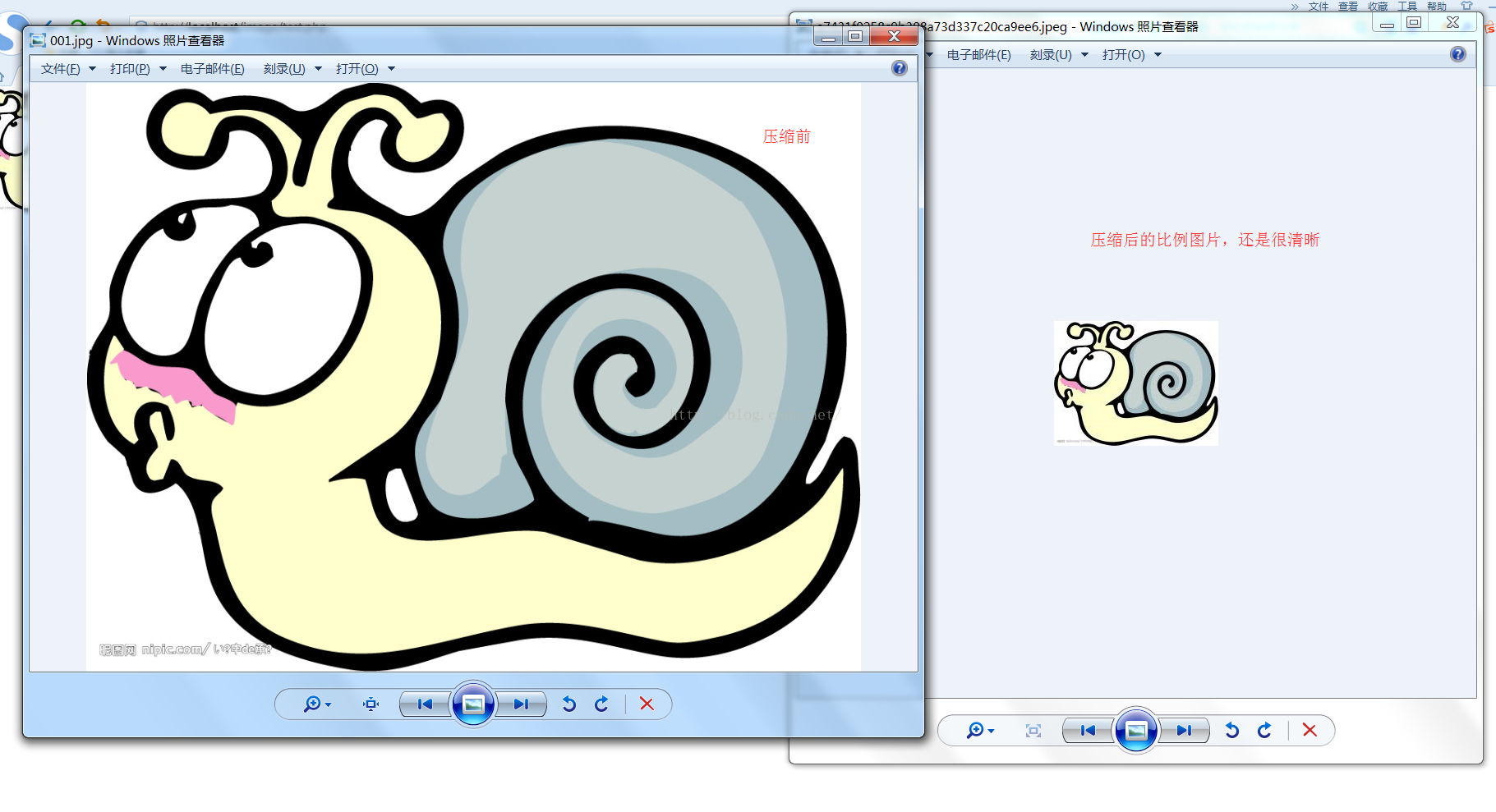
结果:
声明:该文观点仅代表作者本人,入门客AI创业平台信息发布平台仅提供信息存储空间服务,如有疑问请联系rumenke@qq.com。
- 上一篇: PHP二维数组根据某个元素去重
- 下一篇: file_get_contents 注意及使用curl替换
